
Skip to content

For the week that refuses to stay predictable

The day changed. You still have options.

Work ran late. The family calendar moved. An unexpected hour opened up. Start from what is possible today.

iPhone · Free core · Optional AI coaching

Busy runners — illustrative running lifestyle scene
PACEVARO / REAL LIFE RUNNINGYour pace.
Your way.
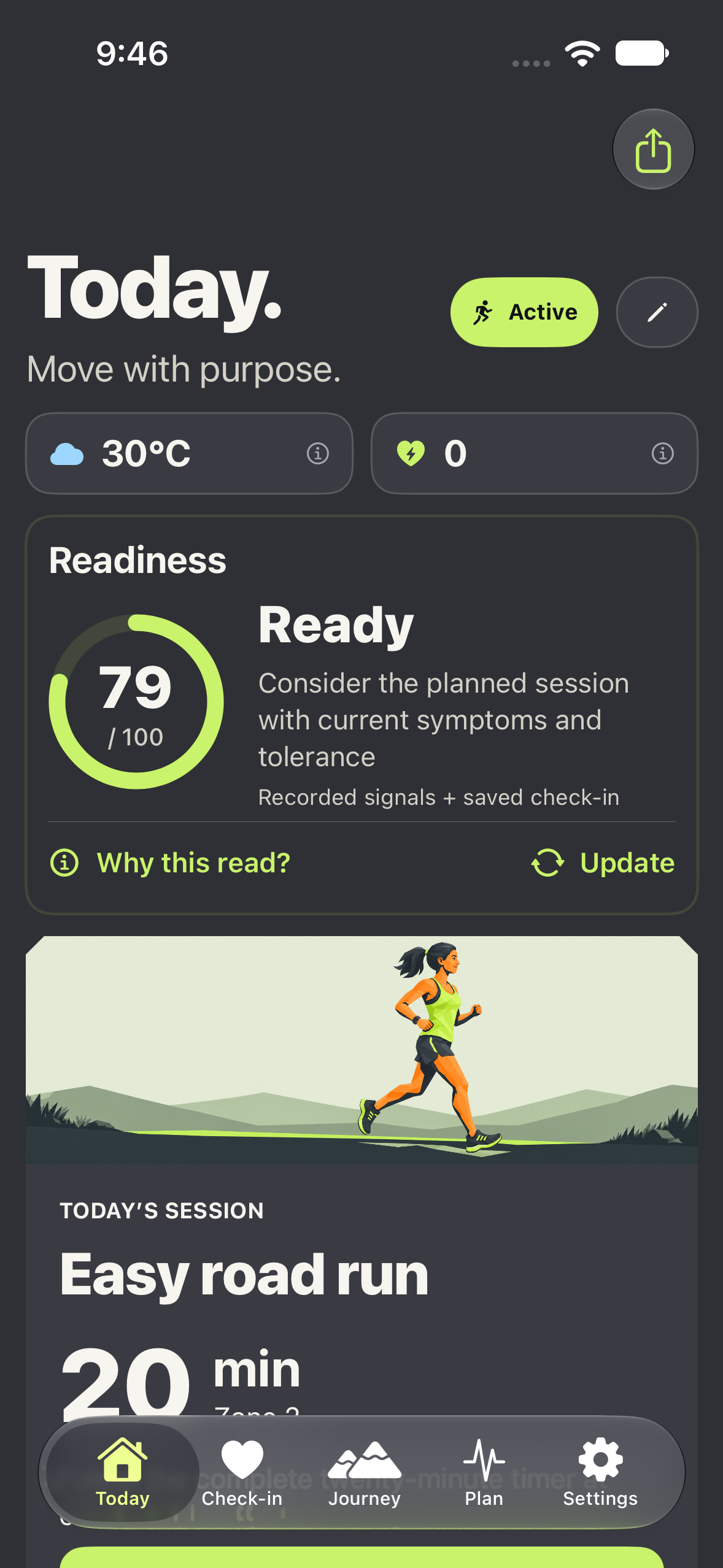
PACEVARO 1.0.5 Today with compact weather and strain, readiness and the planned session using synthetic example data
A CLEARER NEXT STEP

At a glance

PACEVARO helps busy runners plan around available days and changing commitments. Keep control with free manual workout swaps. When an eligible blocked day opens up, optional today-only AI coaching reviews recent training and recovery, then suggests what fits today without rebuilding the other six days.

MADE PRACTICAL

See what that means for your running.

Useful guidance starts with what you can actually do, and what you choose to share.

01

Put real commitments into the week first.

A useful plan begins with the days you can train, rather than an ideal schedule you cannot keep. Add work, family, travel and unavailable blocks, then save the week. FREE mode lets you place sessions yourself or start with a preset. PRO mode uses a confirmed seven-day schedule for one requested weekly programme. Changing the calendar does not silently generate a new one.

02

Free time is an opportunity to review, not a debt to repay.

When a blocked day opens up, review the day's option. Today-only coaching considers completed training, recovery, feedback and what is coming next before proposing a session. It may still suggest an easier option or rest when current context calls for it. Review before applying the change. Illness, injury, races and completed sessions remain protected rather than being treated as ordinary calendar gaps.

03

Choose the manual path whenever it fits.

Swap a workout yourself without using AI allowance. Mark Done or Missed and add a reason such as time pressure, travel or how the session felt. These updates help the next requested coaching review understand what happened. Missing a run does not automatically prove poor recovery, and missed minutes are not automatically added back as catch-up training.

04

Keep one clear view of the day.

Today brings together readiness, the session and compact weather and strain summaries. Add a short check-in for context the recorded data cannot supply. If indoors is more practical, compatible treadmill recording on iOS 26 or later is an option. Journey helps you review completed training over time, so an interrupted Tuesday does not have to define your view of the whole month.

ROOM FOR REAL LIFE

A plan with
breathing room.

Explore an everyday situation. You stay in control of the change.

Illustrative workflows, not personal training advice.

01 / YOUR DAY

The meeting moved. There’s time to run.

Review the time you have and how you feel. Make a free manual change, or request an eligible today-only AI suggestion. Review it first; the other six days stay as they are.

See planning around work

START WITH THE FREE APP

A useful app.
An optional coach.

Build a week, follow it and understand your progress. Add AI coaching when you want suggestions tailored to the context you provide.

Get PACEVARO

Apple shows available subscription prices, eligibility and renewal terms before purchase.

Free core and optional AI coaching
What you can doFree coreOptional AI
Build and edit your weekIncludedIncluded
Beginner run/walk programmeIncludedIncluded
Check-ins and JourneyIncludedIncluded
Request AI plans and reviews—Eligible access

AI is request-based, with subscription and usage limits. Manual swaps, Done/Missed updates and reasons use no AI allowance.

Understand AI access

GOOD QUESTIONS

A little more
understanding.

Clear answers about the app, your choices and what to expect.

Visit support
Does every schedule change use an AI action?

No. Updating availability, making manual swaps, entering a check-in and marking Done or Missed do not use AI allowance. AI runs when you request eligible coaching, rather than automatically after every calendar edit.

Will today-only coaching rewrite the whole week?

No. Review the proposed replacement before applying it to today. The other six days stay unchanged. Weekly generation remains one programme per confirmed target week; changing a schedule does not create another weekly entitlement.

Can the app always add a run when I become free?

No. Availability is only one input. Completed training, current status, recovery, nearby sessions and planning limits still matter. A suggestion to rest is not a judgement about the value of your free time. Review the reasoning and current symptoms before deciding.

What if I have used my AI allowance?

Your saved plan and free manual changes stay available. Standard paid access shares 12 monthly plan actions, maximum 3 weekly, across weekly and today-only requests. A completed new analysis counts even if you decline it; an unchanged request can recover its saved result.

TRAIN WITH CLARITY. ADAPT WITH CONFIDENCE.

Make room
for your run.

Available on iPhone · iOS 17+ · Phone recording requires iOS 26+